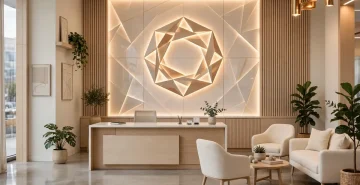

Smart Office Design Ideas with Technology Integration
ByAmodini
November 13, 2026
Smart Office Design Ideas With Technology Integration: A Complete Guide for 2026-2027
A smart office uses technology to make work easier, healthier, and more efficient. Our commercial office interior design team plans the technology into the design from the start, instead of adding it later. It is not about gadgets for their own sake. It is about lighting that adjusts itself, rooms that can be booked in seconds, air that stays fresh, and desks that support the way people actually work. This guide explains what a smart office is, which technologies matter, and how to plan one in 2026 and 2027.What Is a Smart Office?
A smart office is a workplace where technology is built into the design, not added later. Sensors, connected devices, and software work together to manage light, temperature, air, space, and security. The goal is simple: the office should respond to the people in it, save energy, and remove daily friction such as finding a free room or adjusting a chair.Why Smart Offices Matter in 2026-2027
Hybrid work has changed what offices must do. Teams come in on different days, and the office must adapt. Smart systems show which spaces are used and which sit empty, so companies stop paying for space they do not need. They also improve comfort, because temperature and light adjust automatically, and they improve health, because air quality is monitored and managed. For a business, a smart office is a practical investment, not a futuristic showpiece.IoT Devices for the Smart Office
Sensors and Air Quality
| Device | What It Does | Benefit |
|---|---|---|
| Occupancy sensors | Detect whether a room or desk is in use | Shows real space use, saves energy |
| Air quality monitors | Track CO2, dust, and humidity | Healthier air, more comfortable workdays. |
Comfort and Control
| Device | What It Does | Benefit |
|---|---|---|
| Smart lighting | Adjusts brightness and colour by daylight and time | Comfort, lower power bills |
| Smart thermostats and HVAC | Control temperature and air by zone | Comfort, energy saving |
| Height-adjustable desks | Switch between sitting and standing | Health, comfort, energy |
Rooms, Access and Power
| Device | What It Does | Benefit |
|---|---|---|
| Room booking panels | Show availability and book rooms at the door | No double booking, no wasted time |
| Video conferencing systems | One-touch joining, good audio and camera | Smooth hybrid meetings |
| Smart locks and access | Card, phone, or biometric entry | Security without keys |
| Wireless charging and power hubs | Charge devices at the desk | Tidy desks, no cable mess |
| Digital signage | Show schedules, notices, and branding | Clear communication |
Smart Lighting
Lighting is the easiest smart upgrade. Sensors dim lights when daylight is enough and brighten them when it is not. Colour temperature can shift through the day, brighter for focus in the morning, warmer for relaxed work later. This improves comfort and cuts power use. LED panels with smart controls are the standard choice for new offices.Smart Climate and Air Quality
Smart HVAC adjusts temperature by zone, so a sunny side and a shaded side are both comfortable. Air quality monitors track CO2 and dust, and the system increases fresh air when levels rise. In Delhi NCR, where outdoor air is a concern, good filtration and monitoring matter more than in most cities. Our office interior design in Delhi team plans filtration and monitoring into every smart office. Clean air helps people stay alert and comfortable through the day.Smart Meeting Rooms
Meeting rooms cause the most daily friction in offices. Smart rooms fix this with booking panels at the door, one-touch video joining, and automatic light and screen control. A room that is booked shows red, a free room shows green. No one walks in on a meeting, and no room sits booked but empty. Good audio matters as much as video, because hybrid meetings fail when remote participants cannot hear.Smart Desks and Workstations
Modern desks include integrated power modules, USB ports, and cable management, so workspaces stay tidy and tech-ready. Height-adjustable desks let people switch between sitting and standing. In hot-desking offices, a worker can set a lighting and temperature profile through an app, and the desk remembers it. Read our modular office furniture guide for desks that work with smart systems.Space Analytics: Use Data, Not Guesswork
Sensors and booking data show how the office is really used. Many companies discover that some meeting rooms are always full while others are empty, or that a floor is crowded on Tuesdays and quiet on Fridays. With this data, the company can resize rooms, change layouts, and stop paying for space it does not need. Start small: pilot sensors on one floor, measure for three months, then decide. Our office interior designer in Noida team can run the pilot and the rollout for Noida offices.Security and Access
Smart access replaces keys with cards, phones, or biometrics. Visitors can be given temporary access that expires automatically. Cameras and sensors cover entries and sensitive areas without intruding on workspaces. The result is a secure office that still feels open and welcoming.Planning a Smart Office: Practical Steps
- Fix the basics first. Good layout, lighting, and acoustics matter more than any device. Technology on a bad layout does not help.
- Start with one floor or one zone. Pilot smart lighting and HVAC, measure energy and comfort, then expand.
- Choose systems that work together. Pick devices and software that integrate, so one dashboard controls light, air, and booking.
- Plan power and network early. Smart devices need power points and strong Wi-Fi in the right places. Decide this during design, not after fit-out.
- Train the team. Show people how to book rooms, adjust desks, and use the app. A smart office only works if people use it.
- Think about privacy. Use occupancy data, not personal tracking. Tell the team what is measured and why.
Common Mistakes to Avoid
- Buying gadgets before fixing the layout. Technology cannot fix a noisy, dark, or cramped floor.
- Too many separate apps. If every device needs its own app, people stop using them. One integrated system is better.
- Ignoring the network. Smart devices fail on weak Wi-Fi. Plan network points during design.
- No one owns the system. Assign one person to manage the smart office, or it will slowly stop working.